
 vs
vs
Hunter.io vs Sendbox in 2026: A Data-First Workflow Against a Send-First One
This is a look at how Hunter.io, built around locating email addresses, and Sendbox, built around actually sending to them, fit into a sales stack differently. It covers where each sits in the funnel, how their daily interfaces diverge, and where data work stops and outreach work begins.

The Verdict
These two tools sit at opposite ends of the same cold-email lifecycle. Hunter opens with "who should we be emailing," and answers it through an email finder, domain search, a verifier, and intent signals layered on top of a B2B database -- campaigns exist in the product, but they are clearly not the main event. Sendbox opens with "how do we get this delivered reliably," answering that through a mailbox manager, an isolated routing layer, a sequencer, a dialer, and a CRM -- its finder exists too, but plays a supporting role there.
Because most sales teams need both halves of that lifecycle, the more useful question is not which product wins outright but which half is currently your bottleneck. If sourcing accurate, intent-flagged contacts is the pain point, Hunter works well as the data spine, typically paired with a separate sender. If the pain point is deliverability, juggling multiple mailboxes, or managing what happens after a reply lands, Sendbox works better as the outbound spine, either fed by an external data source or leaning on its own built-in finder.
Sendbox vs Hunter.io: Feature-by-Feature
| Feature | |  Hunter.io Hunter.io |
|---|---|---|
| Infrastructure | ||
| Dedicated IPs | Every plan A dedicated IP is included with every plan | No Runs entirely on shared infrastructure |
| Isolated Infrastructure | Yes Sending infrastructure is fully isolated | No Sending happens through a shared pool |
| Email Warmup | Unlimited, AI-powered AI-driven warmup ships on every plan | No No native warmup feature is offered |
| Inbox Placement Testing | Built-in Verify inbox vs spam placement ahead of sending | No Placement testing is not offered |
| Features | ||
| Email Finder | 350M+ contacts A lead finder is built directly into the platform | B2B database Combines domain search, an email finder, and intent signals |
| Email Verification | Built-in Every send is validated automatically beforehand | Credit-based Verifying draws down credits from the same shared pool |
| Intent Signals | No This is not a capability the product offers | Yes Surfaces intent signals to help target outreach |
| Built-in Dialer | Yes Calling is built natively into the product | No No dialer feature exists |
| CRM | Yes A pipeline CRM is built into the platform | No Connects out to external CRMs rather than including one |
| Sending | ||
| Email Accounts | Unlimited Effectively unlimited, capped only by a fair-use policy typical accounts never reach | Unlimited users Every paid plan allows unlimited user seats |
| Monthly Emails | 75K to 2.5M Runs from 75K on Essential up to 2.5M on Agency | Credit-based Sending volume is dictated by credit allocation |
| Scale | ||
| White-label | From $499/mo Full white-labeling becomes available on Pro | No White-labeling is not offered |
Switch to Sendbox
Dedicated IPs. Isolated infrastructure. From $99/mo.
Pricing Comparison
75,000 emails · 30,000 leads
Full stack at single price
250,000 emails · 100,000 leads
Finder credits scale up
500,000 emails · Unlimited leads
White-label tier
2,500,000 emails · Unlimited leads
Account manager included
Hunter.ioDriven by credits emails · 50 credits/mo leads
Quick evaluation
Driven by credits emails · 2,000 credits/mo leads
Unlimited users
Driven by credits emails · 10,000 credits/mo leads
Intent signals
Driven by credits emails · 100,000 credits/mo leads
Highest published tier
Pricing takeaway
The two pricing models measure different units. Hunter meters credits across finding, verifying, and sending out of one pool. Sendbox meters sends and lead capacity as separate allocations. For full per-credit math, the unlimited-user economics, and the annual prepay gap, see /hunter-pricing.
Where each product's daily workflow actually starts
Open Hunter on a Monday morning. The default view is the dashboard for email finder usage, intent signals from the previous week, and recent verification jobs. The product is asking: what data work do we need to do today? Building a campaign is a few clicks away, but it is not where the eye lands first.
Open Sendbox on a Monday morning. The default view is the live campaigns dashboard with per-mailbox reply rates, mailbox health flags, and the unified inbox of warm replies waiting for a response. The product is asking: what sending work needs attention today? The finder is available, but it is a sidebar tool, not the lobby.
This is a UX expression of each tool's philosophy. Hunter is engineered around the question "is this list ready to outreach to." Sendbox is engineered around the question "are these campaigns landing where they should." Most sales teams need both questions answered, which is why the two products often pair rather than substitute.
Key takeaways
- Hunter's default view is the data dashboard
- Sendbox's default view is the live campaigns dashboard
- Hunter asks: is the list ready
- Sendbox asks: are the sends landing
How team shape affects the right choice
Hunter's unlimited-user policy is the most underrated feature in this comparison. A 10-person sales team on Hunter Starter pays $49/mo total. The same team on most per-seat tools would pay $250 to $990 per month.
For revenue-ops-led teams that need data access across the SDR floor, account executive bench, and ops staff, Hunter is structurally cheaper than seat-priced alternatives. Sendbox does not charge per seat either, but the workflow is built for fewer, more concentrated power users running multiple campaigns. The natural fit is a 2-to-5-person outbound team running 30 mailboxes.
The unlimited-mailbox policy matters more than unlimited users at that team size. The split: wide teams that need data access lean Hunter. Concentrated teams that need sending volume lean Sendbox.
Some organizations run both for exactly this reason: the RevOps and AE bench use Hunter for data lookups; the SDR team uses Sendbox to execute campaigns.
Key takeaways
- Hunter unlimited users = structurally cheap for wide teams
- Sendbox unlimited mailboxes = structurally cheap for high-volume senders
- Wide teams (10+ users, light usage each) lean Hunter
- Concentrated teams (2-5 users, heavy usage each) lean Sendbox
Start sending today
Set up in 15 minutes. Dedicated IPs on every plan.
How meaningful intent signals are in practice
Hunter's intent signal feature is the genuine differentiator most reviews underweight. The data identifies companies showing buying behavior (job posts, tech stack changes, news mentions, hiring patterns) and surfaces them in your prospect lists. For B2B sales motions targeting mid-market and enterprise accounts, intent data has been shown to meaningfully improve reply rates when used to time outreach.
Sendbox does not include intent signals. If intent-based prospecting is core to your motion, Sendbox alone is not the answer. Teams in this position either pair Sendbox with Hunter (or a similar intent provider) or build intent logic outside both tools (using Bombora, 6Sense, or Common Room data piped in via webhook).
The practical heuristic: SMB and high-velocity outbound rarely justifies the intent signal layer because the per-prospect time budget does not allow for the timing nuance intent data enables. Mid-market and enterprise outbound almost always benefits.
Key takeaways
- Hunter intent signals improve mid-market and enterprise reply rates
- Sendbox does not include intent data
- SMB outbound rarely benefits enough to justify the layer
- Mid-market and enterprise outbound almost always benefits
The Hunter + Sendbox pairing that often beats either alone
A meaningful number of teams run Hunter and Sendbox together rather than choosing between them. The pattern: Hunter handles the lead-discovery-to-verification phase, Sendbox handles the verified-list-to-replied-conversation phase. Lists flow from Hunter into Sendbox either via API or a CSV export.
Why the pairing works: the credit economics on Hunter are favorable for data work but unfavorable for sending. The send economics on Sendbox are favorable for campaigns but the finder is leaner than Hunter's database for some industries. Running both lets each tool play to its strength.
Why it might not work: two subscriptions to manage, two seats to coordinate, two billing cycles to track. Teams that want a single-tool experience pick one based on which side of the workflow is their bigger bottleneck and accept the trade-off on the other side.
Key takeaways
- Hunter handles discovery to verification
- Sendbox handles verified list to replied conversation
- CSV or API export connects the two
- Trade-off: two subscriptions to manage vs a single-tool experience
Pros & Cons
Sendbox
Strengths
- Live campaigns dashboard is the default view, not the finder
- Unlimited mailbox connections fit concentrated high-volume teams
- Native dialer, CRM, and inbox closing the post-reply workflow
- Multi-mailbox routing layer keeps reputation isolated as volume scales
Limitations
- No intent signal data; pair with Hunter or external intent provider if needed
- Lighter footprint per-user than Hunter for revenue-ops-led organizations
- Finder database depth is workable but trails Hunter for some niche industries
Hunter.io
Strengths
- Intent signal data is the genuine category-leading differentiator
- Unlimited users on the workspace structurally cheap for wide teams
- Domain search is the most polished UX for company-based prospecting
- Free plan lets you try the finder before committing
Limitations
- Campaign workflow is functional but plays second fiddle to data work
- No native dialer or post-reply CRM
- Mailbox health and reputation tooling are out of scope
- Credits do not roll over and verifier does not deduplicate across uploads
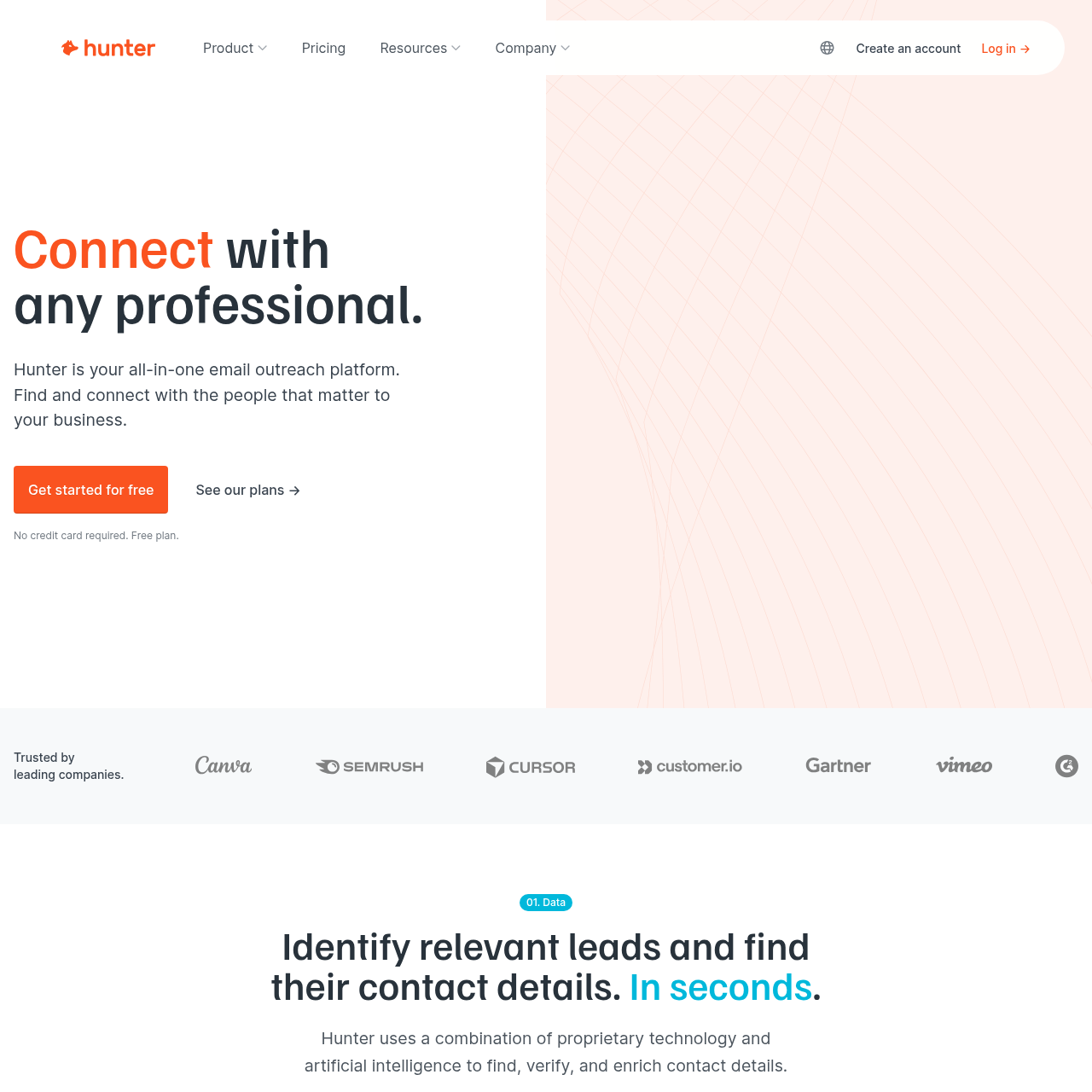
Hunter.io Screenshots
Ready to switch?
Your reputation, your control. No shared infrastructure.
Keep reading
Got questions? We've got answers.
Still stuck? Talk to us →Many teams do not. The pairing pattern (Hunter for data discovery and verification, Sendbox for verified-list-to-reply workflow) is common enough that it is worth considering. If your bottleneck is on one side of the workflow much more than the other, pick the tool that solves that side.
Ready to land in primary?
Get your own isolated Sendbox setup running and start sending inside 15 minutes.
Every plan includes a dedicated IP. Cancel whenever you want.