
 vs
vs
Sendbox vs EmailBison 2026: Two Dedicated-IP Platforms, Different Depth of Tooling
Both Sendbox and EmailBison build on the same foundation of dedicated IPs rather than shared pools. Where they part ways is on price and how much deliverability and prospecting tooling gets bundled around that infrastructure.

At a glance
19 features Sendbox edge8
- Tie11
 EmailBison edge0
Sendbox from
$99/mo
EmailBison from
$599/mo
The verdict
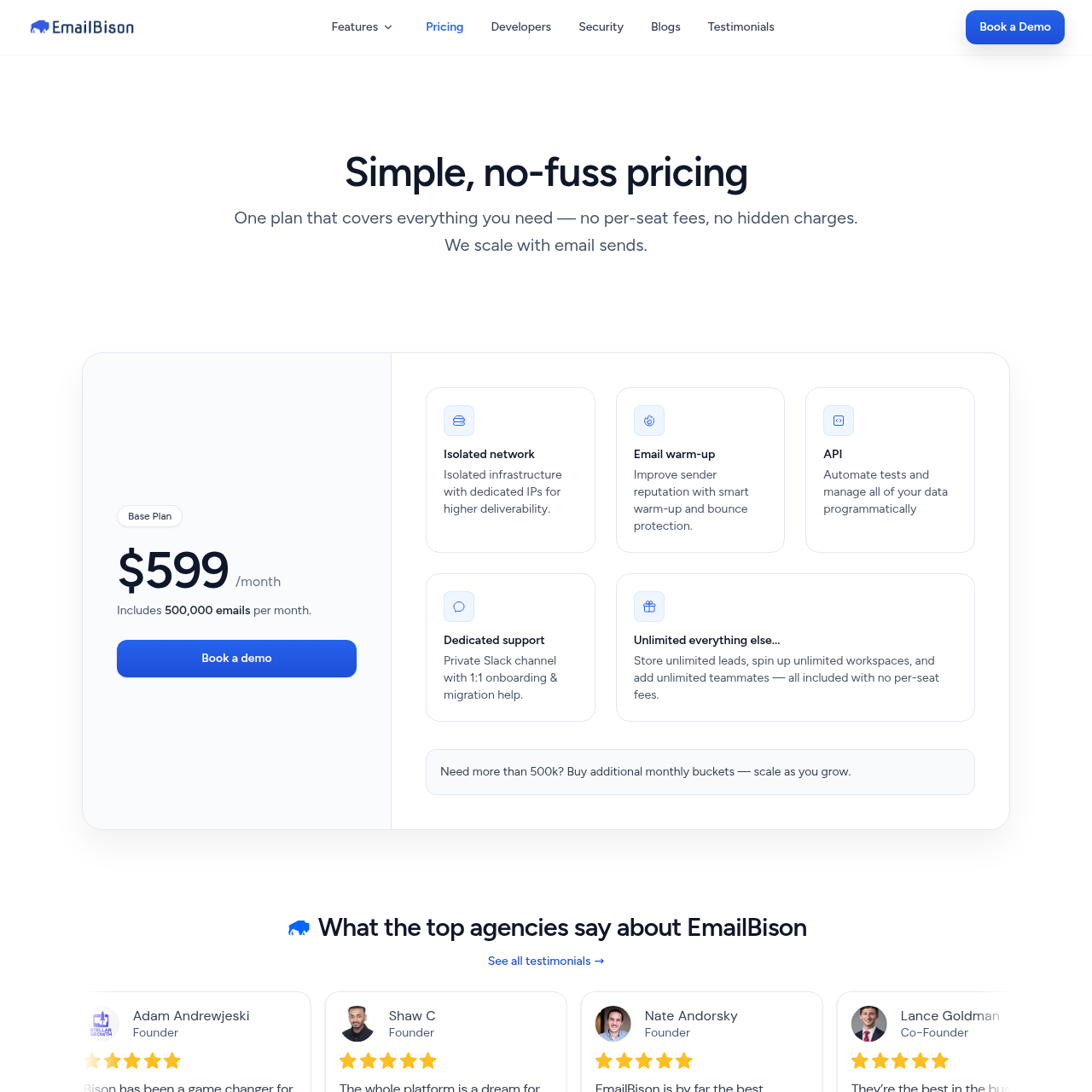
Sendbox and EmailBison start from the same core belief: every customer deserves dedicated IPs and infrastructure that's isolated from everyone else on the platform. That puts both of them a step ahead of shared-pool tools like Instantly and Smartlead when it comes to deliverability architecture. EmailBison's $599/mo base plan covers 500K emails and includes dedicated VPCs, static egress, and what it calls noisy-neighbor isolation.
Sendbox builds on the same dedicated-IP foundation but bundles in a wider set of tools EmailBison leaves out, a 350M+ contact lead finder, a built-in dialer, AI reply tagging, ESP matching, SEG detection, blacklist monitoring, and inbox placement testing. At the 500K-email volume tier, Sendbox's pricing comes in below EmailBison's $599/mo rate while adding all of that extra tooling on top. EmailBison remains a genuinely strong platform, with quality infrastructure and dedicated support behind it.
But for most teams, Sendbox delivers the same isolation principle at a lower price with considerably more built in.

Where it leads
Sendbox
- Same dedicated IP and isolated infrastructure as EmailBison, starting at $99/mo instead of $599/mo
- Built-in lead finder with 350M+ contact database (EmailBison has no lead finder)
- Built-in dialer for cold calling on every plan (EmailBison has no dialer)

Where it leads
EmailBison
- Excellent infrastructure: dedicated VPCs, static egress, private networking, noisy-neighbor isolation
- Dedicated support channel for hands-on assistance
- No per-seat fees, unlimited workspaces and teammates
Feature by feature
Sendbox vs EmailBison: Feature-by-Feature
Filter by category, or show only the rows where the two tools actually differ.
| Feature | Sendbox | EmailBison |
|---|---|---|
| Infrastructure | ||
| Dedicated IPs | Sendbox Every plan Every plan tier is assigned its own dedicated IP from the outset | EmailBison Every plan Dedicated IPs ship with an isolated network on every plan |
| Isolated Infrastructure | Sendbox Yes Sending is fully isolated per account with no shared pooling | EmailBison Yes Backed by dedicated VPCs, static egress, private networking, and noisy-neighbor isolation |
| Email Warmup | Sendbox Unlimited, AI-poweredEdge Warmup runs on AI tuned to slip past Gmail and Outlook detection filters | EmailBison Included Warmup functionality is included as part of the platform |
| Email Validation | Sendbox Built-in, every planEdge Address checks run through 10+ provider integrations, with Enrich.so included or your own API key supported | EmailBison No There's no built-in CSV import paired with validation |
| Inbox Placement Testing | Sendbox Built-inEdge Check where a campaign will land, inbox or spam, before it launches | EmailBison External (EmailGuard) Placement testing relies on an EmailGuard integration rather than a native feature |
| Blacklist Monitoring | Sendbox Built-inEdge Real-time alerts fire whenever a sending IP gets blacklisted | EmailBison No No native way to monitor for blacklisting |
| ESP Matching | Sendbox Built-inEdge Sending infrastructure is automatically matched to the recipient's ESP | EmailBison No ESP matching isn't offered |
| SEG Detection | Sendbox Built-inEdge Secure Email Gateways get detected and sending behavior adjusts accordingly | EmailBison No SEG detection isn't part of the platform |
| Sending | ||
| Email Accounts | Sendbox Unlimited Governed by a generous fair-use policy that typical usage never approaches | EmailBison Unlimited Unlimited workspaces and teammates are allowed, with no per-seat charges |
| Monthly Emails | Sendbox 75K to 2.5M Volume scales from 75K on the entry tier up to 2.5M on the top tier | EmailBison 500K base The $599/mo base plan covers 500K emails monthly, with additional volume buckets purchasable on top |
| Lead Storage | Sendbox 30K to Unlimited Starts at 30K storage on the entry tier and becomes unlimited on the higher tiers | EmailBison Unlimited Every plan includes unlimited lead storage |
| Features | ||
| Multi-Step Sequences | Sendbox Yes Combines conditional branching logic with A/B variant testing | EmailBison Yes Sequencing supports both A/B testing and conditional logic |
| AI Reply Tagging | Sendbox Yes AI auto-categorizes and tags replies across every connected inbox | EmailBison Yes AI-driven reply tagging and auto-categorization are available |
| Unified Inbox | Sendbox Yes One inbox view brings together every connected account | EmailBison Master Inbox A Master Inbox feature handles reply management |
| Built-in Dialer | Sendbox YesEdge A native dialer, with ringless voicemail, AI voice cloning, and line intelligence, ships on every plan | EmailBison No No dialer or calling capability is built in |
| Lead Database | Sendbox 350M+ contactsEdge A built-in lead finder is backed by a database of 350M+ contacts | EmailBison No There's no lead finder or prospecting database included |
| CRM Sync | Sendbox Yes A pipeline CRM with deal tracking is native to the core product | EmailBison HubSpot/Salesforce Syncs to external CRMs, specifically HubSpot and Salesforce |
| API and Webhooks | Sendbox Yes Six event types are supported, each with HMAC signature verification | EmailBison Yes Offers API access, webhooks, and a Clay integration |
| Scale | ||
| White-label | Sendbox Pro tier and above Full white-labeling with custom-branded reports, at a flat rate on the higher tiers | EmailBison Yes White-label branding is available |
Showing 19 of 19 features.
Switch to Sendbox
Dedicated IPs. Isolated infrastructure. From $99/mo.
Pricing
Pricing Comparison
SendboxAll-in-one- $99/mo
Essential
Emails 75,000Leads 30,000
Dedicated IPs, validation, warmup, dialer, lead finder included
- $249/mo
Plus
Emails 250,000Leads 100,000
All deliverability tools + 1,000 finder credits
- $499/mo
Pro
Emails 500,000Leads Unlimited
White-label, unlimited leads, full automation suite
- $899/mo
Agency
Emails 2,500,000Leads Unlimited
White-label, custom reports, dedicated support
EmailBison- $599/mo
Base Plan
Emails 500,000Leads Unlimited storage
Dedicated IPs, VPCs, static egress, noisy-neighbor isolation
- $599 per additional 500K bucket
Higher Volume
Emails Additional bucketsLeads Unlimited storage
Additional monthly email buckets at $599 per 500K
Pricing takeaway
The pricing comparison is straightforward. EmailBison has one main plan at $599/mo for 500K emails. Sendbox Pro gives you 500K emails at $499/mo. That is $100/mo less with the same dedicated IP infrastructure plus a lead finder, dialer, inbox placement testing, blacklist monitoring, and ESP matching. If you only need 75K emails, Sendbox Essential at $99/mo is 6x cheaper than EmailBison while still providing dedicated IPs and isolated infrastructure. EmailBison includes dedicated support, white-label branding, AI reply tagging, and excellent infrastructure isolation. Sendbox offers more features per dollar at every price point.
EmailBison VPCs vs Sendbox Dedicated IPs
This is where Sendbox and EmailBison are most similar. Both platforms are built around the same core principle: every customer gets dedicated IPs and isolated sending infrastructure. That puts both of them in a different category from tools like Instantly, Smartlead, and Saleshandy, which use shared IP pools by default.
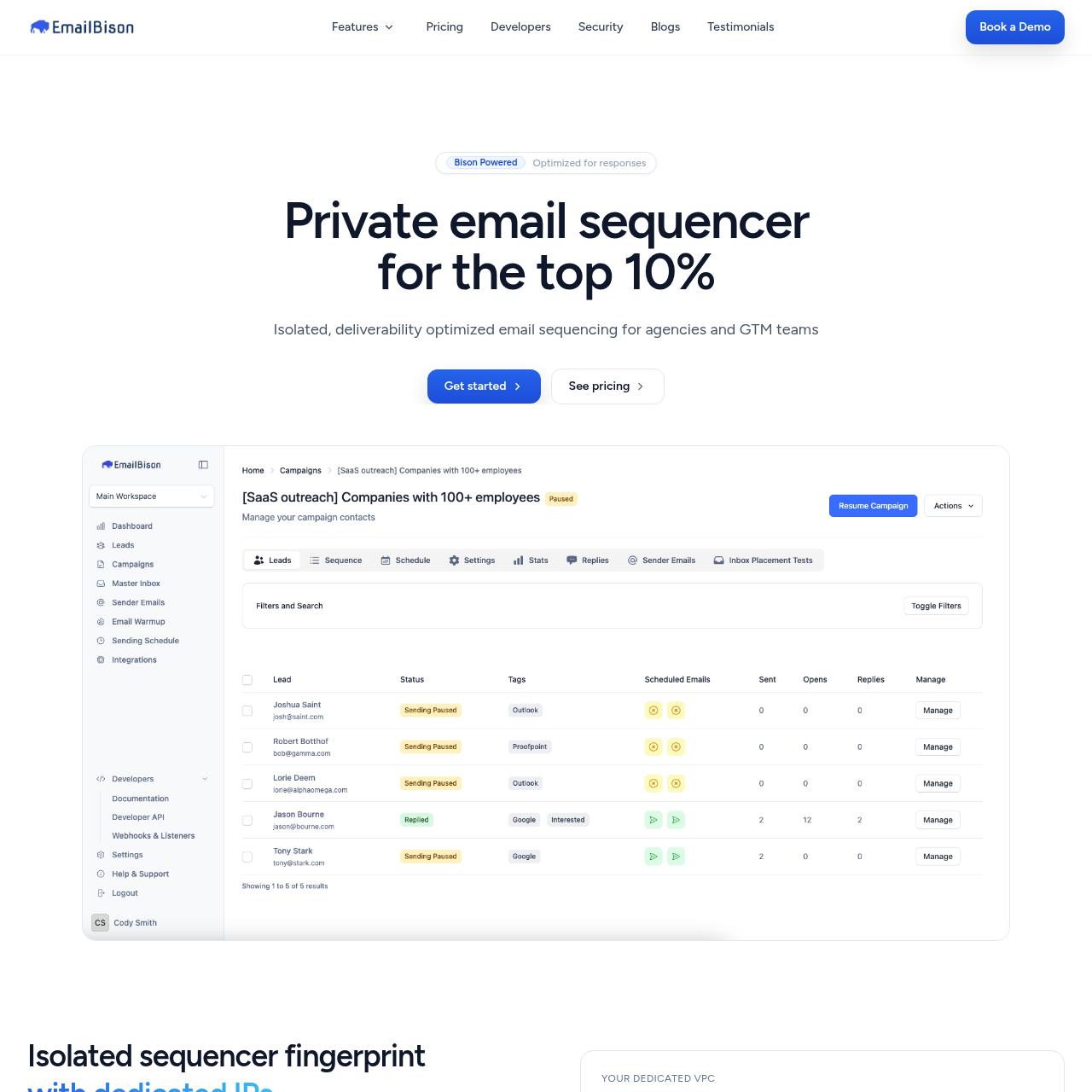
EmailBison offers dedicated VPCs, static egress, private networking, and what they call noisy-neighbor isolation. Their infrastructure is genuinely high quality. They position themselves as a "private email sequencer for the top 10%" and their architecture backs that claim.
Sendbox also assigns dedicated IPs on every plan and runs fully isolated sending per account. No shared pools, no co-tenancy. The infrastructure philosophy is identical.
Where the platforms diverge is in the deliverability tooling built around that infrastructure. Sendbox includes inbox placement testing, blacklist monitoring, ESP matching, SEG detection, and per-mailbox health visibility in every plan. EmailBison uses EmailGuard as an external integration for inbox placement testing and does not advertise blacklist monitoring, ESP matching, or SEG detection as built-in features.
For teams that want every deliverability signal available in one dashboard, Sendbox offers more out of the box.
Key takeaways
- Both platforms: dedicated IPs and isolated infrastructure for every customer
- EmailBison: dedicated VPCs, static egress, private networking, noisy-neighbor isolation
- Sendbox: inbox placement testing, blacklist monitoring, ESP matching, SEG detection built in
- EmailBison: uses EmailGuard externally for inbox placement, no native blacklist monitoring
Email Warmup and Sequencing
Both platforms include email warmup. Sendbox uses an AI-powered warmup engine designed to generate engagement patterns that pass the detection filters Gmail and Outlook use to identify artificial warmup traffic. EmailBison includes warmup as part of its platform.
For sequencing, both offer multi-step email sequences with A/B testing and conditional logic. EmailBison supports conditional branching in sequences, and Sendbox does the same. On core sequencing capabilities, the platforms are comparable.
Both Sendbox and EmailBison include AI reply tagging that auto-categorizes responses, helping teams prioritize interested replies without manual sorting. Sendbox also surfaces per-mailbox reply rate and bounce rate on the live campaigns dashboard, so you can pull a struggling mailbox into warmup before reputation damage compounds.
Key takeaways
- Both platforms include email warmup and multi-step sequences with A/B testing
- Both platforms: AI reply tagging auto-categorizes responses
- Sendbox: per-mailbox reply and bounce rate visibility so you can pull struggling mailboxes into warmup
- EmailBison: solid sequencing with conditional logic and AI reply tagging
Start sending today
Set up in 15 minutes. Dedicated IPs on every plan.
The Tool Bundle Each Plan Includes
The feature gap between Sendbox and EmailBison is significant. EmailBison focuses on doing infrastructure and sequencing well. Sendbox bundles a broader set of tools into every plan.
Sendbox includes a built-in lead finder with a 350M+ contact database. EmailBison has no lead finder or prospecting database. If you use EmailBison, you need a separate data tool like Apollo, ZoomInfo, or Clay to source leads before importing them.
Sendbox includes a built-in dialer on every plan for cold calling directly from the platform. EmailBison has no calling feature. For teams that combine email and phone outreach, this means adding a separate dialer subscription.
EmailBison does offer strong integration capabilities. They support API access, webhooks, Clay integration, and CRM sync with HubSpot and Salesforce. Their dedicated support channel is a premium touch that most cold email tools do not provide.
EmailBison also has no per-seat fees, unlimited workspaces, and unlimited teammates, which is excellent for larger teams. Sendbox offers webhooks with 6 event types and HMAC signature verification, a built-in CRM with deal tracking, and white-label from the Pro plan at $499/mo. EmailBison also offers white-label branding.
Key takeaways
- Sendbox: 350M+ lead finder, built-in dialer, ESP matching, SEG detection
- EmailBison: no lead finder, no dialer, no ESP matching or SEG detection
- EmailBison: API, webhooks, Clay integration, HubSpot/Salesforce sync, dedicated support, white-label, AI tagging
- EmailBison: no per-seat fees, unlimited workspaces and teammates
$599 EmailBison vs $99 Sendbox Entry
EmailBison has a single published plan at $599/mo for 500K emails per month with dedicated IPs, VPCs, and all their infrastructure features. Additional volume is available at $599 per additional 500K email bucket. Sendbox offers four tiers.
Essential at $99/mo gives you 75K emails with dedicated IPs and every tool included. Plus at $249/mo gives you 250K emails. Pro at $499/mo gives you 500K emails with white-label.
Agency at $899/mo gives you 2.5M emails. The direct comparison at the 500K email tier: Sendbox Pro costs $499/mo and EmailBison costs $599/mo. Sendbox is $100/mo cheaper and includes a lead finder, dialer, inbox placement testing, blacklist monitoring, and ESP matching.
EmailBison includes dedicated support, white-label, AI reply tagging, and excellent infrastructure, but lacks a lead finder, dialer, and some deliverability tools. At lower volumes, the gap is even larger. If you need 75K emails per month, Sendbox Essential at $99/mo is 6x cheaper than EmailBison at $599/mo.
EmailBison does not have a lower-volume plan. You pay $599/mo whether you send 50K or 500K emails. EmailBison positions itself as a premium product for the "top 10%" of cold email teams.
That premium pricing makes sense for high-volume agencies that value infrastructure quality above all else. But for most teams, Sendbox offers the same infrastructure quality with more features at a lower price.
Key takeaways
- EmailBison: $599/mo for 500K emails, one published tier
- Sendbox Pro: $499/mo for 500K emails, $100/mo cheaper with more features
- Sendbox Essential: $99/mo for 75K emails, 6x cheaper than EmailBison
- EmailBison has no lower-volume plan, you pay $599/mo regardless of usage
EmailBison Premium vs Sendbox Bundled
We recommend EmailBison if you are a high-volume agency sending 500K+ emails per month, you already have a separate lead data provider and dialer, and you value premium dedicated support with hands-on infrastructure management. EmailBison's architecture is genuinely excellent and their focus on isolation is real. If your only priority is infrastructure quality and you are willing to pay for it, EmailBison delivers.
We recommend Sendbox for most other use cases. If you want dedicated IPs and isolated infrastructure but also need a lead finder, dialer, inbox placement testing, blacklist monitoring, and ESP matching, Sendbox bundles all of that starting at $99/mo. At the 500K email tier, you save $100/mo compared to EmailBison while gaining features they do not offer.
For teams sending under 250K emails per month, there is no case for EmailBison over Sendbox. You would be paying $599/mo for infrastructure when Sendbox Essential ($99/mo) or Plus ($249/mo) gives you the same infrastructure quality plus a larger feature set at a fraction of the cost.
Key takeaways
- Choose EmailBison if: sending 500K+ emails, have separate lead data and dialer, value premium dedicated support
- Choose Sendbox if: want dedicated IPs plus lead finder, dialer, AI tagging, and white-label in one platform
- Under 250K emails/month: Sendbox Essential ($99) or Plus ($249) vs EmailBison ($599)
- At 500K emails/month: Sendbox Pro ($499) vs EmailBison ($599), Sendbox is $100/mo cheaper with more features
Strengths & limitations
Pros & Cons
Strengths7
- Same dedicated IP and isolated infrastructure as EmailBison, starting at $99/mo instead of $599/mo
- Built-in lead finder with 350M+ contact database (EmailBison has no lead finder)
- Built-in dialer for cold calling on every plan (EmailBison has no dialer)
- Inbox placement testing, blacklist monitoring, ESP matching, and SEG detection built in
- White-label from $499/mo on Pro plan and above
- $100/mo cheaper at the 500K email tier ($499 vs $599)
- Four pricing tiers from $99 to $899, so you only pay for the volume you need
Limitations3
- Newer platform with a smaller user community
- No Clay integration as a native feature (EmailBison integrates with Clay)
- No static egress or private networking language in infrastructure description
Strengths6
- Excellent infrastructure: dedicated VPCs, static egress, private networking, noisy-neighbor isolation
- Dedicated support channel for hands-on assistance
- No per-seat fees, unlimited workspaces and teammates
- Clean focus on infrastructure quality without feature bloat
- API access, webhooks, Clay integration, HubSpot/Salesforce CRM sync
- Unlimited lead storage on all plans
Limitations7
- $599/mo starting price with no lower-volume option
- No lead finder or prospecting database
- No built-in dialer or calling feature
- No ESP matching or SEG detection
- No built-in blacklist monitoring
- No inbox placement testing (uses external EmailGuard integration)
- No CSV import with validation
Source material
EmailBison Screenshots
Ready to switch?
Your reputation, your control. No shared infrastructure.
Keep reading
Sources
Both platforms offer dedicated IPs and isolated infrastructure, which puts them ahead of most cold email tools. Sendbox is better for teams that want more features at a lower price. Sendbox Pro at $499/mo includes 500K emails, a lead finder, dialer, and ESP matching. EmailBison at $599/mo includes 500K emails with excellent infrastructure, white-label, and AI reply tagging, but no lead finder or dialer.
Ready to land in primary?
Get your own isolated Sendbox setup running and start sending inside 15 minutes.
Every plan includes a dedicated IP. Cancel whenever you want.
