
 vs
vs
Sendbox vs Woodpecker 2026: Precision Sequencing vs a Full Outbound Stack
Woodpecker prices by contacted prospect and has built a loyal ABM following on the strength of its sequencing depth. Sendbox is built for teams running many mailboxes at once as part of a wider outbound stack. This comparison looks at what each shape of tool is actually optimized for.

At a glance
16 features Sendbox edge8
- Tie8
 Woodpecker edge0
Sendbox from
$99/mo
Woodpecker from
$29/mo
The verdict
Woodpecker and Sendbox are answering two different questions about outbound. Woodpecker's whole design centers on getting maximum thoughtfulness out of every prospect touch, think ABM plays, founder-led sales, or a tight 500-name list getting seven carefully sequenced messages. Nothing about the product feels rushed: the conditional logic in its campaign builder is mature, and the Bounce Shield verification step reads like it was built by people who care more about message quality than raw send volume.
Sendbox instead optimizes for breadth, dozens of mailboxes feeding one sequencer that also handles calling, a CRM, a lead finder, and client-facing reporting for agencies. Put simply, Woodpecker asks "how do we sequence a small list exceptionally well," while Sendbox asks "how do we run an entire outbound channel efficiently." The right pick depends on which question matches your actual workflow, not on sticker price alone, and because Woodpecker bills by contacted prospects rather than a flat plan, the real cost math shifts meaningfully at different volumes, which is worth reading in the dedicated pricing breakdown.

Where it leads
Sendbox
- Whole outbound channel runs inside one product (sequences, calls, CRM, reporting)
- Tempo-optimized for teams running 10+ concurrent campaigns
- Reusable sequence templates spin up a new campaign in under ten minutes

Where it leads
Woodpecker
- Conditional logic and manual task steps are best-in-category
- Bounce Shield verification step before send is genuinely useful
- Campaign builder rewards careful, iterative work on a single sequence
Feature by feature
Sendbox vs Woodpecker: Feature-by-Feature
Filter by category, or show only the rows where the two tools actually differ.
| Feature | Sendbox | Woodpecker |
|---|---|---|
| Infrastructure | ||
| Dedicated IPs | Sendbox Every planEdge A dedicated IP comes standard, on every tier, with nothing extra to pay for it | Woodpecker No Every plan tier runs on shared infrastructure |
| Isolated Infrastructure | Sendbox YesEdge Sending is fully siloed per customer, with no shared pools or co-tenancy | Woodpecker No Infrastructure is shared, and no isolated option is advertised anywhere |
| Email Warmup | Sendbox Unlimited, AI-powered AI-driven warmup built to get past Gmail and Outlook's detection systems | Woodpecker Recovery and warm-up Both warm-up and reputation-recovery tools are included |
| Email Validation | Sendbox Built-in, every plan Deliverability gets checked through 10+ provider integrations, with Enrich.so included or your own API key supported | Woodpecker Bounce shield Verifies addresses in real time to head off bounces before they happen |
| Inbox Placement Testing | Sendbox Built-in Check spam vs inbox placement before every campaign goes out | Woodpecker Deliverability monitor A monitoring dashboard tracks placement over time |
| Blacklist Monitoring | Sendbox Built-inEdge Alerts fire in real time the moment a sending IP gets blacklisted | Woodpecker No There's no native blacklist-monitoring feature |
| Sending | ||
| Email Accounts | Sendbox Unlimited Capped only by a generous fair-use policy that most teams never bump into | Woodpecker Unlimited Every plan allows an unlimited number of connected mailboxes |
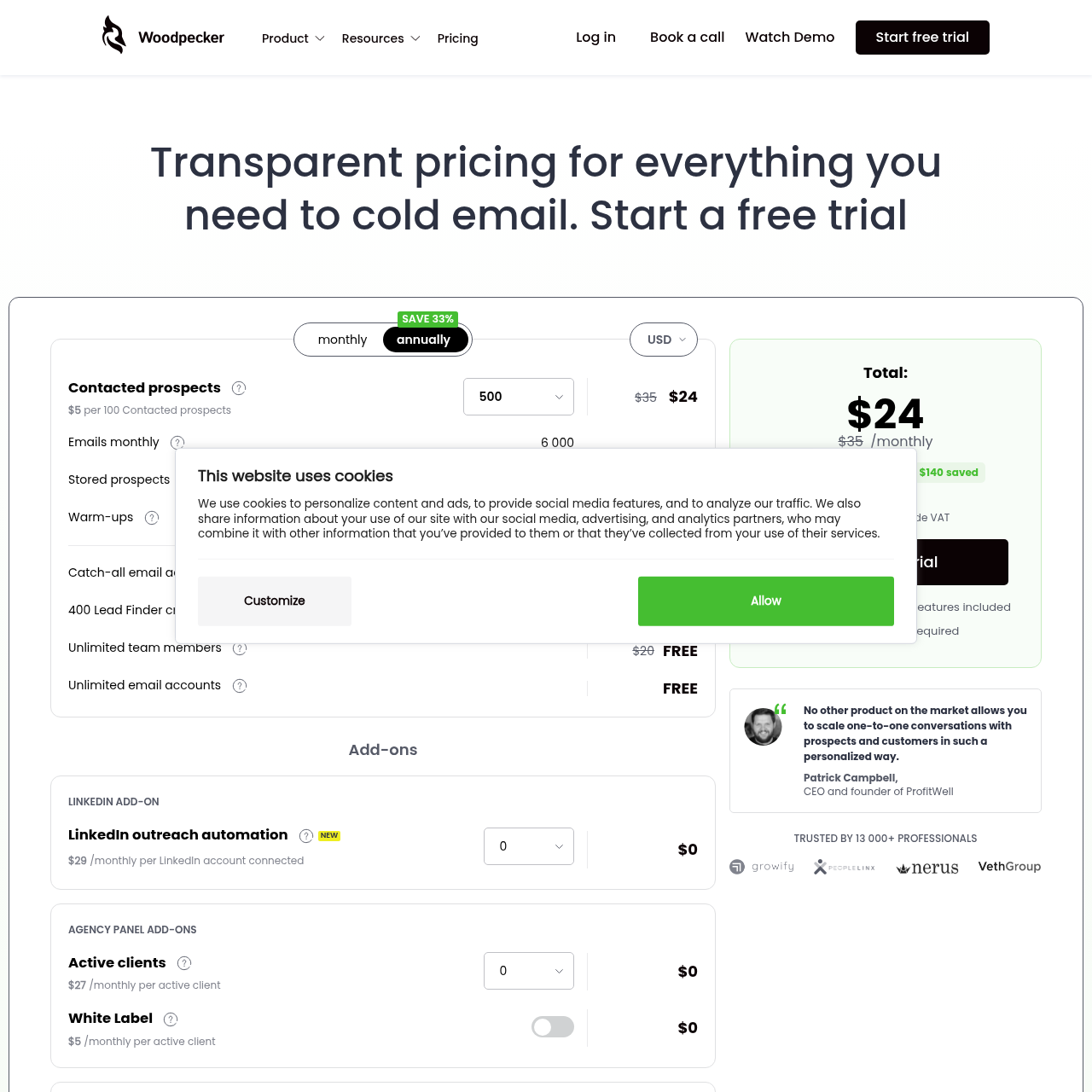
| Pricing Model | Sendbox Email volume based Plans are structured around monthly email volume rather than prospect count | Woodpecker Contacted prospects Plans are priced by how many prospects you've contacted (500, 1,000, etc.) |
| Features | ||
| A/B Testing | Sendbox Yes Variant testing works alongside conditional branching logic | Woodpecker Yes A/B testing is available on every plan tier |
| Conditions and Manual Tasks | Sendbox Conditional logic Sequences support if/then branching | Woodpecker Yes Campaign flows can include conditional steps and manual tasks |
| Built-in Dialer | Sendbox YesEdge Native calling is built into the platform and included on every plan | Woodpecker No There's no built-in calling capability |
| Lead Database | Sendbox Built-in finderEdge Prospecting happens right inside the platform via a built-in finder | Woodpecker No No native database or prospecting tool exists here |
| CRM | Sendbox YesEdge A pipeline CRM with deal tracking ships as a native part of the product | Woodpecker Integrations CRM functionality comes via API and native third-party connectors rather than a built-in CRM |
| Webhooks and API | Sendbox YesEdge Six event types are supported, each backed by HMAC signature verification | Woodpecker API keys API access and integration keys are available for connecting other tools |
| Scale | ||
| Agency Features | Sendbox Pro tier and above Full white-labeling and custom reporting on the higher tiers, plus a dedicated account manager at the top | Woodpecker Agency panel A dedicated panel helps manage multiple clients from one place |
| White-label | Sendbox Pro tier and aboveEdge Full white-labeling with custom-branded reports on the higher tiers | Woodpecker No No white-label option is advertised |
Showing 16 of 16 features.
Switch to Sendbox
Dedicated IPs. Isolated infrastructure. From $99/mo.
Pricing
Pricing Comparison
SendboxAll-in-one- $99/mo
Essential
Emails 75,000Leads 30,000
Full stack at single price
- $249/mo
Plus
Emails 250,000Leads 100,000
Finder credits scale up
- $499/mo
Pro
Emails 500,000Leads Unlimited
White-label included
- $899/mo
Agency
Emails 2,500,000Leads Unlimited
Account manager included
Woodpecker- $29/mo
Cold Email (500 prospects)
Emails Driven by prospect meterLeads 500 contacted prospects
Full feature set, every tier
- ~$49/mo
Cold Email (1,000 prospects)
Emails Driven by prospect meterLeads 1,000 contacted prospects
Same features, doubled cap
- Published up to ~$200
Higher volume tiers
Emails Driven by prospect meterLeads Up to 5,000 prospects
Custom quote above 5K
Pricing takeaway
The pricing models measure different things, which is why a side-by-side sticker comparison can mislead. Woodpecker meters contacted prospects (one human per cycle, regardless of touches). Sendbox meters sends (one email per tick). A 500-prospect, 7-touch sequence is one Woodpecker meter tick per prospect but 7 Sendbox send ticks per prospect. For full mechanics including the annual prepay gap and the agency rollup behavior, see /woodpecker-pricing.
Two different shapes of outbound work
Woodpecker and Sendbox serve two different outbound motions. The Woodpecker motion is "narrow list, deep sequence": a sales rep working 500 named accounts builds a sequence with seven touches, conditional branches, manual research steps, and personalized inserts. The depth of the campaign matters more than the volume.
The platform UX rewards careful work. The Sendbox motion is "wide list, broad operation": an outbound team running 30 mailboxes ships campaigns across multiple ICPs, routes the responses into a unified inbox, calls the warm replies, tracks the deals, and reports the results. The breadth of the operation matters more than the depth of any single sequence.
The platform UX rewards systematized execution. Neither motion is universally correct. Founder-led sales, ABM motions, recruiting agencies, and high-ACV B2B SaaS lean toward the Woodpecker shape.
Volume-driven outbound, growth-stage SaaS, multi-client agencies, and SDR-led organizations lean toward the Sendbox shape. Pick by the work you actually do.
Key takeaways
- Woodpecker rewards narrow lists with deep sequences
- Sendbox rewards wide operations with systematized execution
- ABM motions and founder-led sales feel right on Woodpecker
- Volume outbound and multi-client agencies feel right on Sendbox
How each campaign builder treats the operator
Woodpecker's campaign builder is the strongest expression of its philosophy. Conditional logic is mature, manual task steps slot naturally into sequences (call this prospect on day 4, send a LinkedIn touch on day 7), and the editing UX assumes the operator will iterate carefully between sends. You can spend two hours building a single sequence and the tool does not feel like it is slowing you down.
Sendbox's campaign builder is engineered for repetition. Sequences are reusable templates, the variable system lets you spin up a new campaign from a list and a persona in under ten minutes, and the live campaigns dashboard is the primary view (not the editor). You can build a sequence in twenty minutes, ship it, and immediately move to the next.
The tool does not slow you down because it does not expect you to linger. This is not a quality gap, it is a tempo gap. A team running one campaign per month per rep wants the Woodpecker tempo.
A team running ten concurrent campaigns wants the Sendbox tempo. Inspect your actual campaign cadence and pick accordingly.
Key takeaways
- Woodpecker builder rewards careful iteration on a single sequence
- Sendbox builder rewards template reuse and high concurrent count
- Manual task steps are first-class in Woodpecker
- Live dashboard is the primary view in Sendbox, not the editor
Start sending today
Set up in 15 minutes. Dedicated IPs on every plan.
Integrations and where each tool sits in your stack
Woodpecker is designed to integrate with the rest of your stack. The CRM lives elsewhere (HubSpot, Salesforce, Pipedrive). The lead data lives elsewhere (Apollo, Hunter, LinkedIn Sales Navigator).
The dialer lives elsewhere (Aircall, JustCall). Woodpecker is the email layer, and it integrates well with what surrounds it. If your team has already standardized on a CRM and a data provider, Woodpecker slots in cleanly without redundant features.
Sendbox is designed to BE the rest of the stack. The CRM, the finder, the dialer, and the reply inbox are all native. The integrations exist (HubSpot, Salesforce, webhooks, API) but the product's default assumption is that you do not need them because the alternative tool is already inside Sendbox.
If your team is still consolidating tools or starting fresh, Sendbox collapses three or four subscriptions into one. The right question is not "which tool integrates better." It is "do I want to integrate or consolidate." Mature stacks tend to integrate; new stacks tend to consolidate. The decision often follows from how long the team has been doing outbound and how comfortable they are with their existing tooling.
Key takeaways
- Woodpecker integrates: clean handoff to your CRM, data, and dialer
- Sendbox consolidates: CRM, finder, dialer, inbox all native
- Mature stacks usually prefer integration
- New stacks usually prefer consolidation
Agency fit: panel access vs white-label
Woodpecker offers an agency panel that lets one operator manage multiple client books from a single login. It is included on every tier with no upgrade. The panel works well for small agencies that bill clients for managed services but do not need to hide that Woodpecker is the underlying tool.
Sendbox offers full white-label from the Pro plan upward: client-branded reports, custom subdomain access, and reporting that does not surface the Sendbox name. The agency tier ($899/mo) adds a dedicated account manager and 2.5 million sends. The model fits agencies that pitch themselves as a managed outbound function rather than as a Woodpecker reseller.
The meaningful split: small agencies (3 to 8 clients) usually fit Woodpecker's panel without strain. Larger agencies (15+ clients) usually need the white-label and reporting depth that Sendbox provides. The crossover sits roughly at the point where one of your client services contracts requires you to hide the underlying tool.
Key takeaways
- Woodpecker agency panel: included free at every tier, panel-based UX
- Sendbox white-label: Pro tier and above, client-branded reports
- Small agencies (3-8 clients) usually fit Woodpecker panel
- Larger agencies (15+ clients) usually need Sendbox white-label
Strengths & limitations
Pros & Cons
Strengths5
- Whole outbound channel runs inside one product (sequences, calls, CRM, reporting)
- Tempo-optimized for teams running 10+ concurrent campaigns
- Reusable sequence templates spin up a new campaign in under ten minutes
- Multi-mailbox routing layer is native, not a bolt-on
- Migration from Instantly, Smartlead, and EmailBison happens via API key in one session
Limitations3
- Operators who want to linger over a single sequence may find the UX hurried
- Time-to-first-send is longer than Woodpecker by 30-60 minutes
- No conditional logic step as deep as Woodpecker's manual task system
Strengths5
- Conditional logic and manual task steps are best-in-category
- Bounce Shield verification step before send is genuinely useful
- Campaign builder rewards careful, iterative work on a single sequence
- Agency panel included free at every tier
- Years of track record with stable, predictable UX
Limitations4
- Wide-list outbound feels expensive because the prospect meter scales linearly with reach
- CRM, dialer, and lead data all live in other tools
- No native white-label reporting for agency clients
- Live operations dashboard is less prominent than the campaign editor
Source material
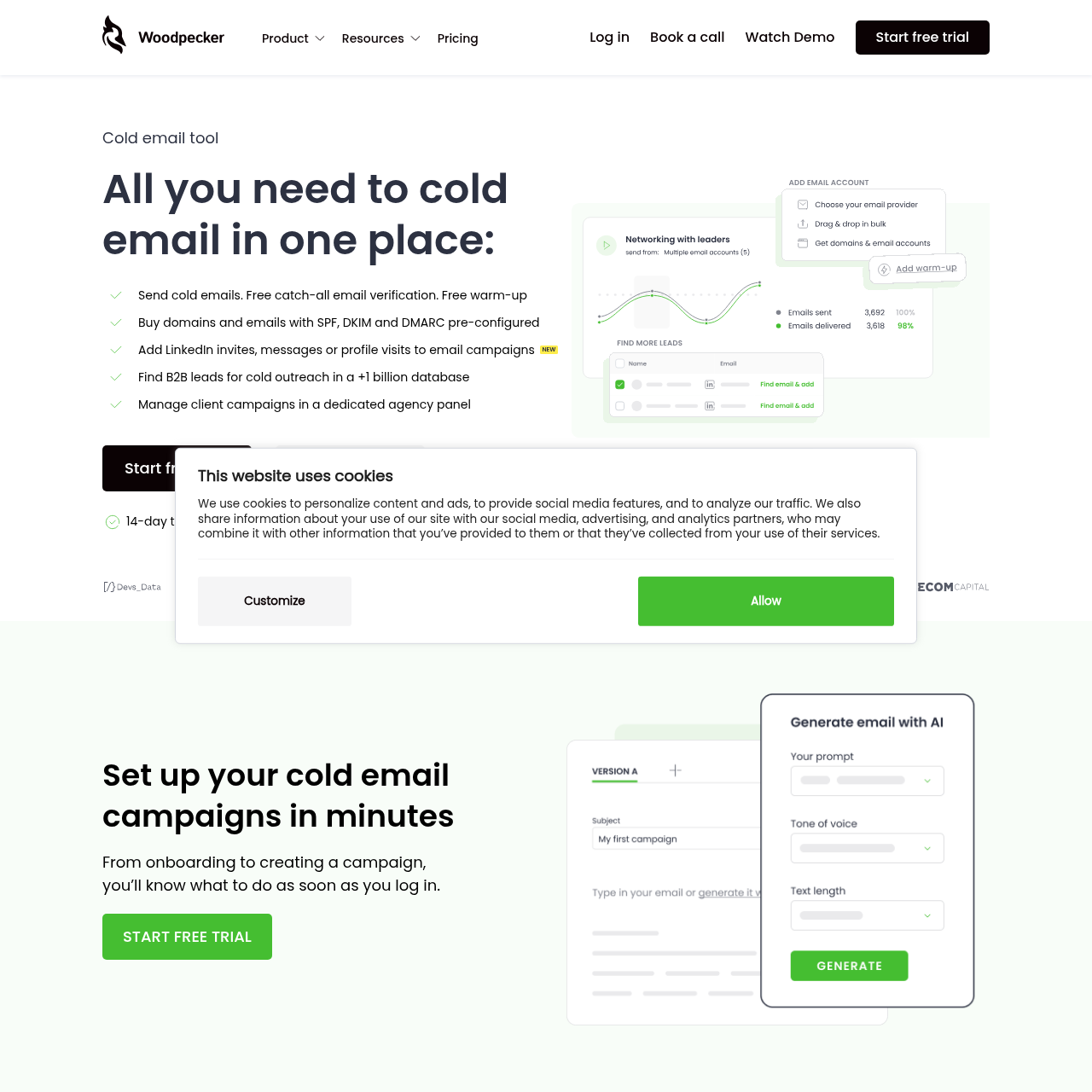
Woodpecker Screenshots
Ready to switch?
Your reputation, your control. No shared infrastructure.
Keep reading
No. The pricing models meter different things. Woodpecker meters contacted prospects (one per human per cycle). Sendbox meters sends (one per email). The right question is the shape of your outbound: narrow-and-deep lists fit Woodpecker, wide-and-systematized operations fit Sendbox. The pricing teardown at /woodpecker-pricing walks through the per-prospect curve in full.
Ready to land in primary?
Get your own isolated Sendbox setup running and start sending inside 15 minutes.
Every plan includes a dedicated IP. Cancel whenever you want.
